
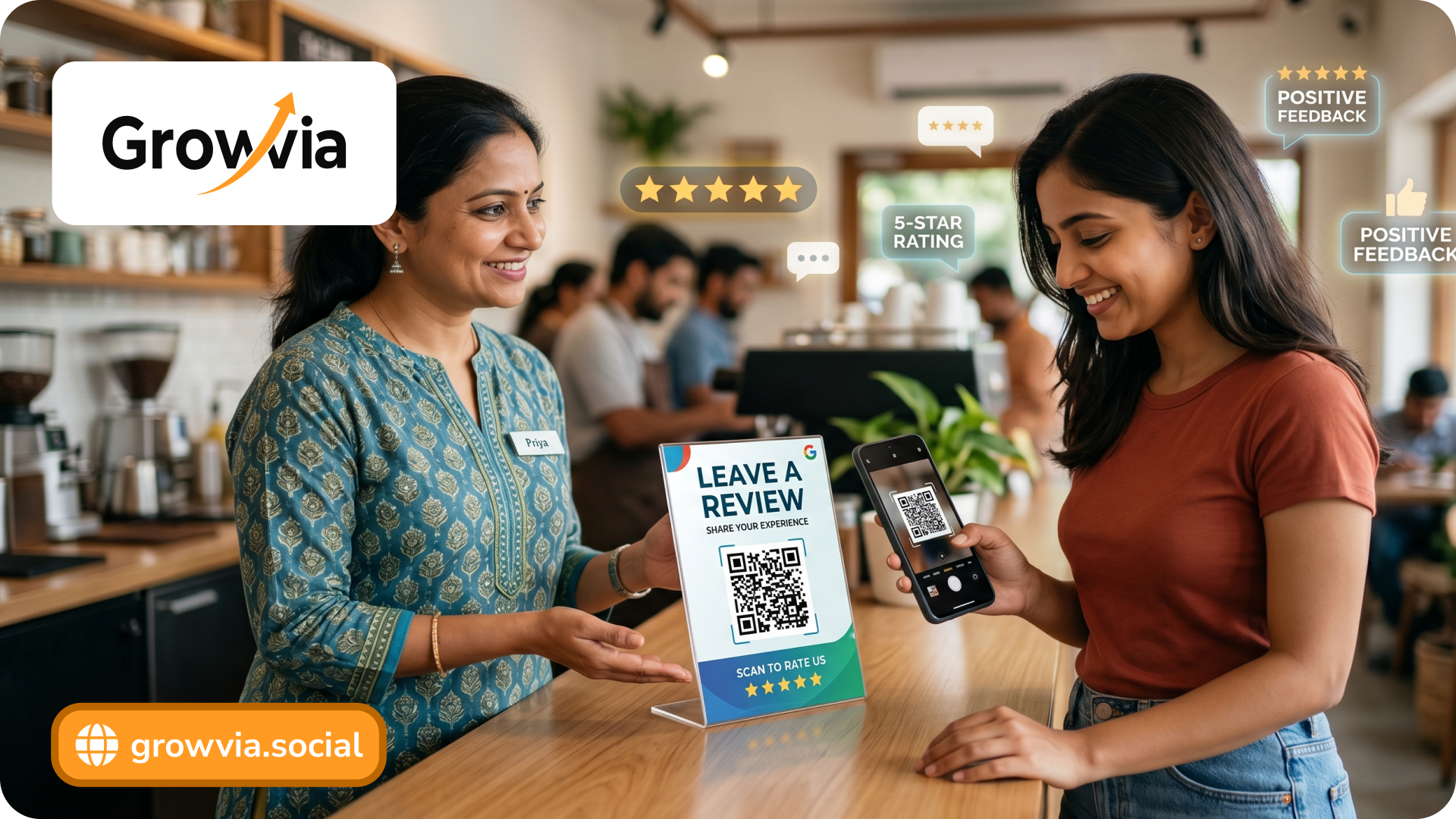
More than ever, customer reviews play a big role in purchasing decisions. Not only do 95% of customers read reviews before making a purchase, but the quality and quantity of a business’s reviews are among Google’s most important ranking factors. Today, Google Business Profile reviews directly influence how customers find, trust, and choose your business. Yet there is one more wall to climb. Most of the satisfied customers never leave feedback, all due to there being too many steps.
Google Review QR Code is the solution to that problem. By turning a simple scan into an instant review, it removes friction and makes it effortless to generate Google reviews at the right moment. It is a powerful way to increase Google reviews , boost online reputation , and consistently improve Google ratings .
In this blog, we’ll show you how to generate a Google review QR code and build a results-driven Google reviews QR code strategy that actually works.
Why Businesses Struggle to Increase Google Reviews
Most customers won’t go out of their way to leave a review if it requires multiple steps like searching up the business, finding the correct listing, and navigating to the review section, which leads to missed opportunities to increase Google reviews .
Lack of a Structured Customer Review Generation Strategy
Businesses often rely on random or occasional requests instead of building a consistent system for customer review generation , which results in slow and inconsistent growth in Google Business Profile reviews.
Lack of Awareness About Review Links
Some businesses don’t know how to get Google review link or fail to share it effectively, making it harder for customers to reach the review page.
Fear of Negative Reviews
Businesses hesitate to actively ask for reviews due to the fear of receiving negative feedback, which ultimately slows down efforts to improve Google ratings and build credibility.
No Follow-Up or Reminder System
Without follow-ups via SMS, email, or WhatsApp, even interested customers forget to leave reviews, reducing overall customer review generation and growth potential.
What is a Google Review QR Code
A Google Review QR Code is a scannable code that instantly directs customers to your business’s review page on your Google Business Profile . Instead of manually searching for your business, users can simply scan the code with their smartphone and land directly on the review section, making it quick and effortless to leave feedback.
This type of QR Code for Google Business Reviews works by embedding your unique review URL, typically generated using a Google review link generator , into a QR format. When scanned, it eliminates unnecessary steps and significantly improves the chances to generate Google review QR Code .
By simplifying the process, a Google Review QR Code becomes a powerful tool for customer review generation , helping businesses increase Google reviews , boost online reputation , and continuously improve Google ratings with minimal effort.
How to Generate a Google Review QR Code
Creating a Google Review QR Code is a relatively simple process, but doing it correctly delivers higher conversions and better customer review generation. Follow the below steps to generate a QR Code for Google business reviews :
Step 1: Get Your Google Review Link
First, access your Google Business Profile and locate your review link.
- Search your business on Google
- Click on “Ask for reviews”
- Copy the link provided
This step is essential if you’re wondering how to get Google review link quickly and accurately.
Step 2: Use a Google Review Link Generator (Optional)
If you want a cleaner or customized URL, you can use a Google review link generator to refine your link. This ensures your QR Code for Google Business Reviews directs users to the exact review section without confusion.
Step 3: Convert the Link into a QR Code
Paste your review link into any QR code generator tool.
- Choose between static or dynamic QR codes
- Generate your Google Review QR Code instantly
This step transforms your link into a scannable format for easy customer review generation .
Step 4: Customize for Branding and Visibility
To make your QR code more effective:
- Add your brand colors and logo
- Ensure high contrast for easy scanning
- Include a clear CTA like “Scan to Review Us”
A well-designed QR code improves engagement and supports your QR code marketing strategy .
Step 5: Test the QR Code Before Use
Always scan your QR code using multiple devices to ensure:
- It opens the correct review page
- It loads quickly on mobile
- There are no extra steps involved
Testing is crucial to avoid friction and to successfully generate Google review QR Code .
Step 6: Download and Deploy Strategically
Once ready, download your QR code and place it across high-impact touchpoints like:
- Billing counters
- Packaging
- Receipts
- Emails
Strategic placement helps boost online reputation , increase Google reviews , and continuously improve Google ratings .
Static vs Dynamic QR Codes
| Criteria | Static QR Code | Dynamic QR Code |
| Editability | Fixed once created; cannot be changed | Can update the destination URL anytime without changing the QR Code |
| Flexibility | Not flexible; requires reprinting if link changes | Highly flexible; ideal for evolving Google Reviews QR Code strategy |
| Tracking & Analytics | No tracking available | Tracks scans, location, device, and performance |
| Use Case | Best for simple, one-time use | Best for ongoing customer review generation and campaigning |
| Cost | Usually free | Often paid |
| Performance Optimization | No optimization possible | Enables A/B testing to increase Google reviews |
| Scalability | Limited for growing businesses | Scales well with marketing and QR code marketing strategy |
Building a Google Reviews QR Code Strategy
- Define Clear Goals First: Identify whether your focus is to increase Google reviews , improve ratings, or strengthen Google Business Profile reviews for better visibility.
- Map High-Intent Customer Moments: Place your Google Review QR Code where customers are most satisfied, such as post-purchase, after service completion, or during positive interactions.
- Choose the Right QR Code Type: Use static codes for simple needs and dynamic codes if you want tracking, flexibility, and long-term customer review generation.
- Optimize the Review Journey: Ensure your QR code leads directly to the review page using a clean link from a Google review link generator .
- Use Strong, Action-Driven CTAs: Add clear messaging like “Scan to review us” to support your QR code marketing strategy and encourage immediate action.
- Train your Team to Ask at the Right Time: Staff should actively prompt customers to scan the QR Code for Google Business Reviews during peak satisfaction moments.
- Distribute Across Multiple Touchpoints: Use QR codes on receipts, packaging, counters, emails, and WhatsApp to maximize customer review generation .
- Track and Measure Performance: Monitor review growth, frequency, and rating improvements to understand how effectively you generate Google reviews .
- Continuously Optimize Placements and Messaging: Test different locations and CTAs to increase Google reviews and improve engagement.
- Follow Up and Stay Consistent: Reinforce requests with reminders and respond to reviews to boost online reputation and improve Google ratings over time.
SEO Impact: How QR Codes Help Local Rankings
Increased Review Volume Improves Local SEO Signals
Consistently using a Google Review QR Code helps increase Google reviews , which signals relevance and popularity to Google, positively impacting local SEO reviews and rankings.
Faster Review Velocity Boosts Visibility
A strong Google Reviews QR Code strategy drives steady review flow, and higher review frequency (velocity) improves your chances of appearing in local search results.
Higher Ratings Improve Click-Through Rates
More positive feedback collected through QR Code for Google Business Reviews helps improve Google ratings , making your listing more attractive and increasing clicks from search results.
Enhanced Trust Leads to Better Conversions
A well-maintained review profile built through effective customer review generation builds credibility, helping businesses boost online reputation and convert more users.
Keyword-Rich Reviews Strengthen Relevance
When customers leave detailed reviews, they often include relevant keywords, which enhances your Google Business Profile reviews and improves local search relevance.
Reduced Friction Leads to More User Engagement
By simplifying the process to generate Google reviews , QR codes increase user participation, which indirectly strengthens engagement signals for SEO.
Improved Local Pack Rankings
Businesses with more frequent and higher-quality reviews are more likely to appear in Google’s Local Pack, making your QR code marketing strategy a direct contributor to visibility.
Continuous Review Growth Signals Business Activity
Regularly gaining reviews through a Google Review QR Code indicates that your business is active and trusted, which supports long-term ranking improvements and helps increase Google reviews consistently.
Conclusion
A Google Review QR Code is a powerful system to consistently generate Google reviews , reduce friction, and turn satisfied customers into brand advocates. When backed by a well-planned Google Reviews QR Code strategy , it helps businesses increase Google reviews , strengthen Google Business Profile reviews , and ultimately boost online reputation in a competitive local market.
By integrating QR codes into your customer journey, optimizing placement, and maintaining consistency, you create a scalable approach to customer review generation that directly impacts visibility, trust, and conversions.
Ready to accelerate your growth? Let Growvia help you implement a results-driven QR code strategy to increase Google reviews and build a stronger online reputation.
Grow faster with GrowVia
GrowVia helps businesses launch loyalty programs, automate customer communication, collect customer data, and measure repeat purchase growth from one simple platform.
- Automated welcome and win-back campaigns
- Reward tracking for repeat visits
- Customer segments based on behavior
- Review and referral growth support
Frequently Asked Questions
You can find it in your Google Business Profile by clicking on “Ask for reviews,” which provides a direct link. This is the easiest way if you’re wondering how to get Google review link .